ThreatIntelSearch
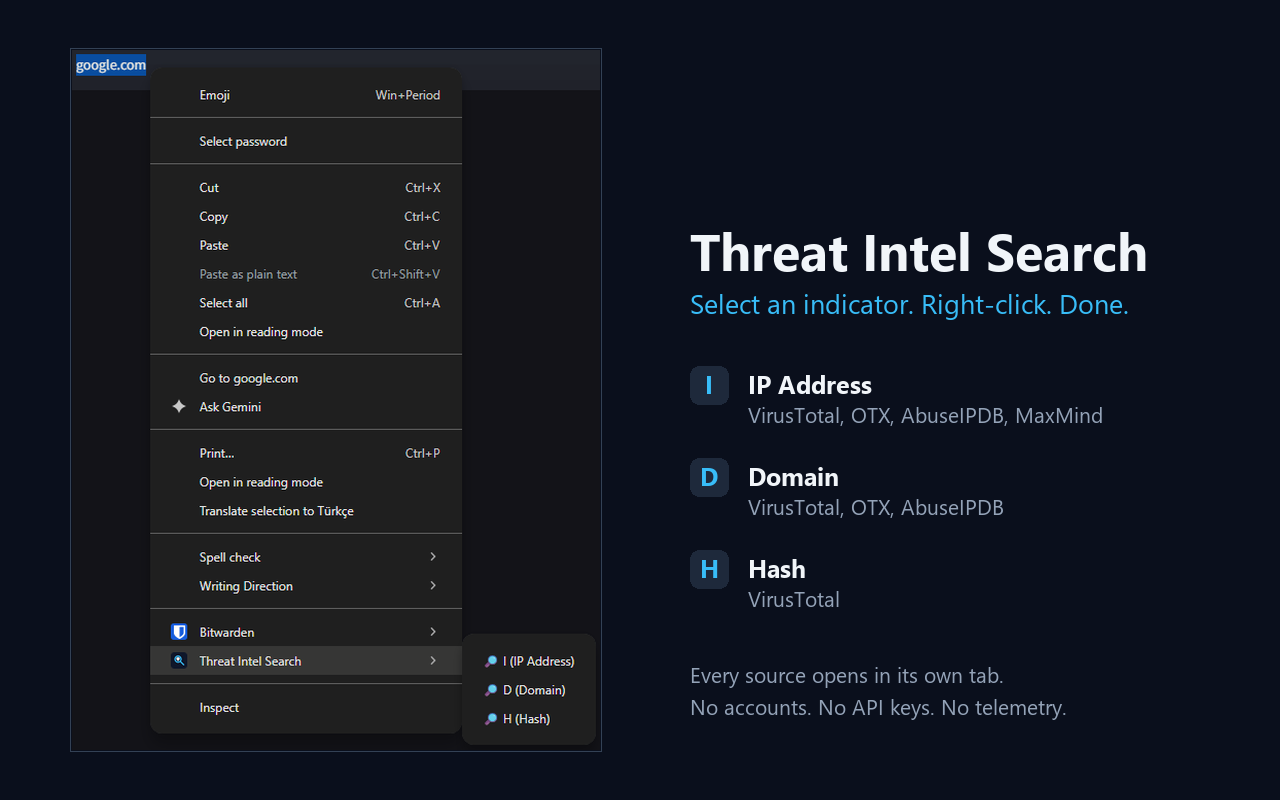
Select an IP, domain, or file hash. Right-click to open its threat intelligence sources.
Use it
- Install the extension from your browser's store.
- Select an IP address, domain, or MD5, SHA1, or SHA256 hash on a web page.
- Right-click and choose Threat Intel Search. In Chrome, choose I, D, or H to open the matching sources in tabs.
- In Firefox v2, choose a source from the panel, or use Open all. Switch the indicator type if needed.
Firefox v2 also cleans up URLs and defanged indicators such as example[.]com. Press 1–9 to open a source, C to copy, D to copy defanged, and Esc to close.
Sources in Firefox v2
- IP addresses
- VirusTotal, AlienVault OTX, AbuseIPDB, MaxMind, GreyNoise, Shodan InternetDB, urlscan.io
- Domains
- VirusTotal, AlienVault OTX, AbuseIPDB, urlscan.io, SecurityTrails, Whois, crt.sh
- File hashes
- VirusTotal, AlienVault OTX, MalwareBazaar, Hybrid Analysis
Optional scoring
In Firefox v2, open the panel's settings and add your VirusTotal, AbuseIPDB, or AlienVault OTX API keys. The panel shows a score, confidence, and each vendor's evidence. Without keys, source links still work. The score is a triage aid; check the underlying evidence.
Privacy
No analytics or author-operated server. Source links send the selected indicator to the site you open. If you configure API keys, lookups go directly from your browser to those vendors. Keys and cached results stay in local extension storage.